
Assyst - tests, exams and flashcards
Open tests from QST, QSZ and QSZE files or make your own: as plain text, in the editor or from your notes through an AI chat. Take them as a practice test or an exam, or study them with flashcards.


Also on AppGallery
- No sign-up
- Works offline
- Core features are free
- Over a million installs

Scan the code with your phone camera to open the Assyst page in the store.
Add your own test
Assyst works with your tests: files from your teacher, your notes and tests you write yourself.
Load from file
Open a QST, QSZ or QSZE file from your device or by a link. A file from a messenger or email opens straight in Assyst.
Paste text
Paste or type a test as plain text: a question starts with ?, a correct answer with +, a wrong one with -. The text editor checks the lines as you type and suggests fixes.
Create with AI
For lecture notes, a Word document, a PDF or a photo of a page there is a ready prompt: send it to an AI chat with your material and paste the answer into the text editor.
Create new
Build a test from scratch in the editor: six question types, images, hints and categories. "Example" shows every feature on a ready test.
Practice, exam and flashcards
The same test can be taken in three ways.
Practice test
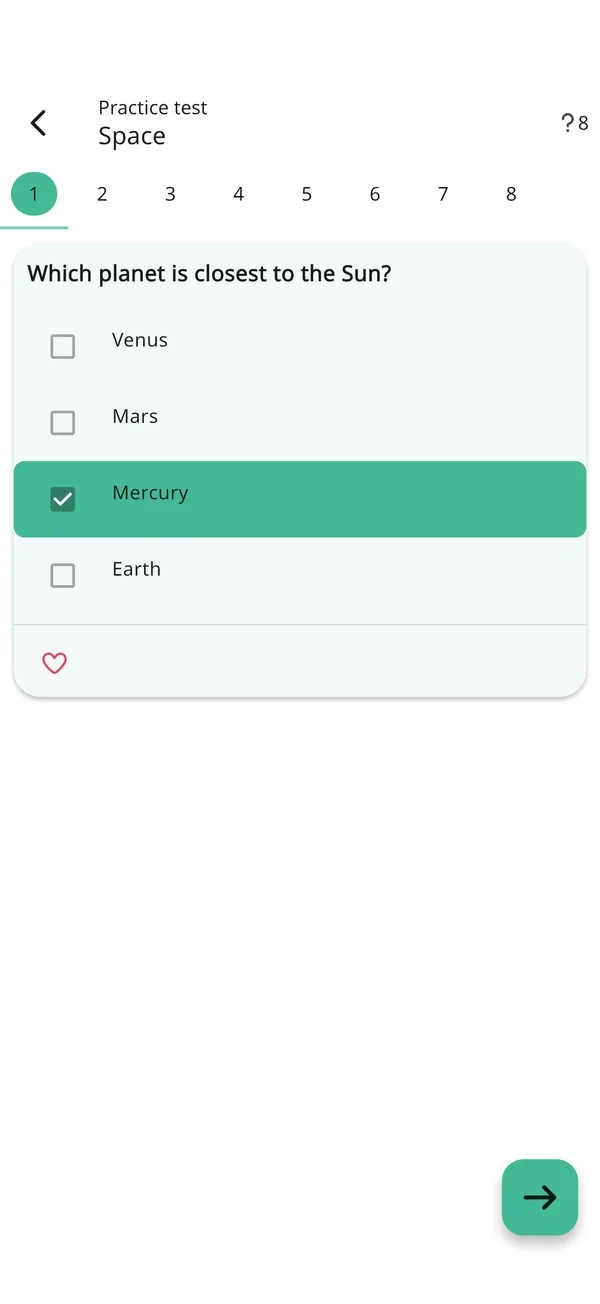
Each answer is checked right away, followed by a hint if the question has one.
Exam
You see the result only at the end: the percentage of correct answers and the number of mistakes.
Flashcards
The question is on the front, the answer on the back: recall it and swipe to mark "I know" or "Don't know". The "Study unknown" deck collects what you haven't learned yet, and the "Time to review" banner reminds you to come back to what you studied.
What the app looks like
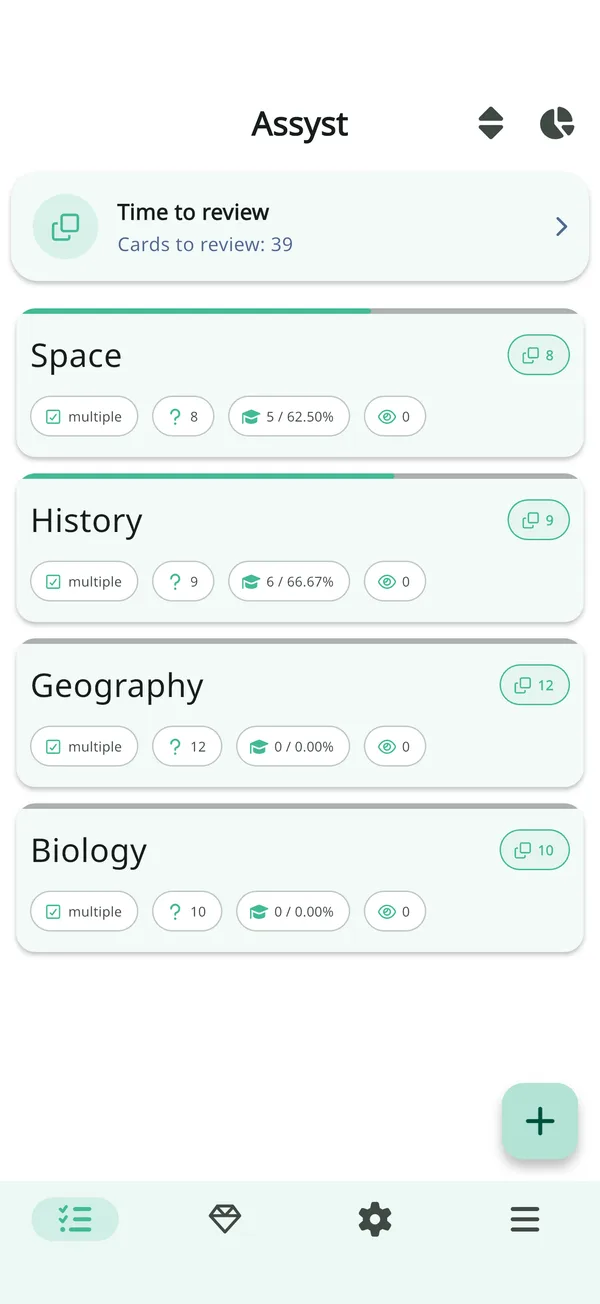
Screens of the current version: the test library, practice, flashcards, the editor and statistics.
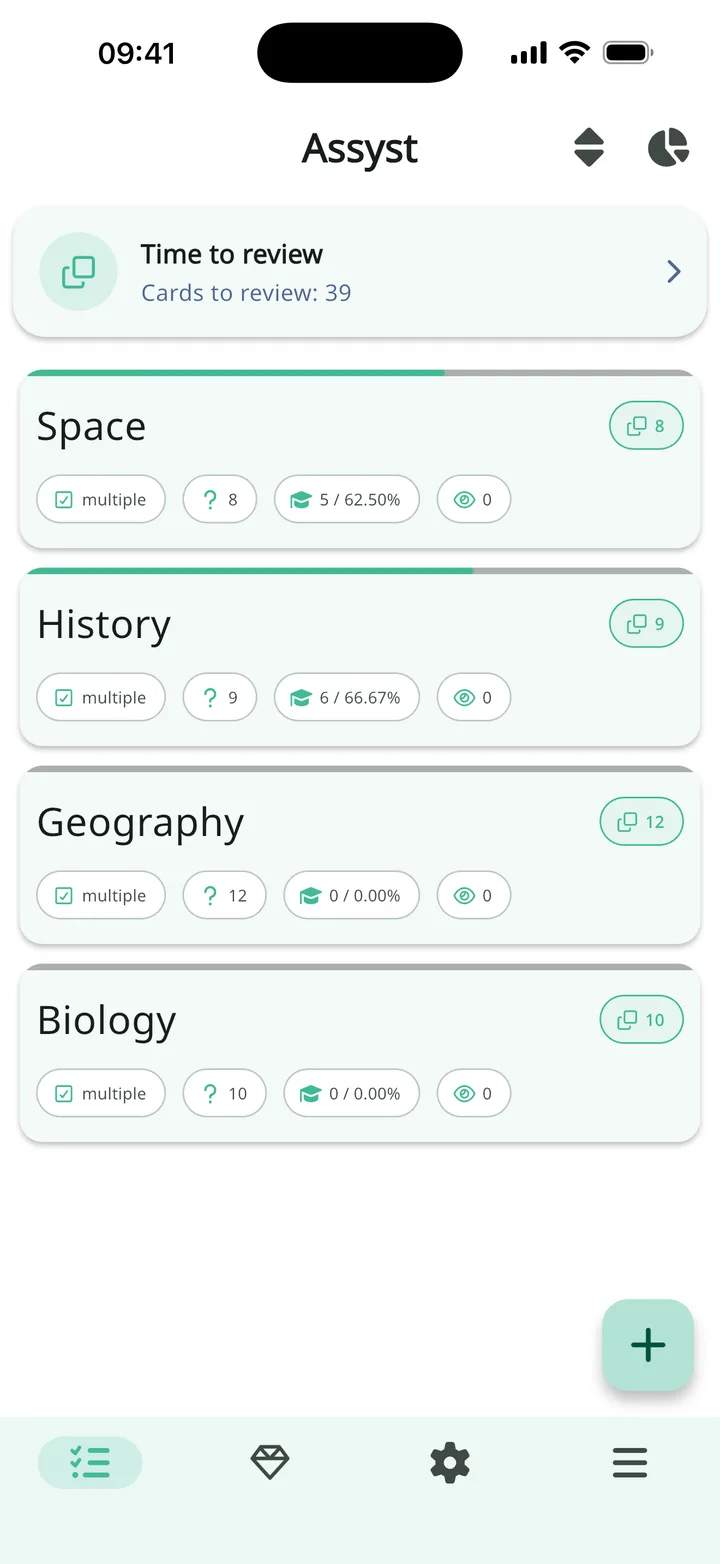
Your tests, always at hand
Works offline, no account needed
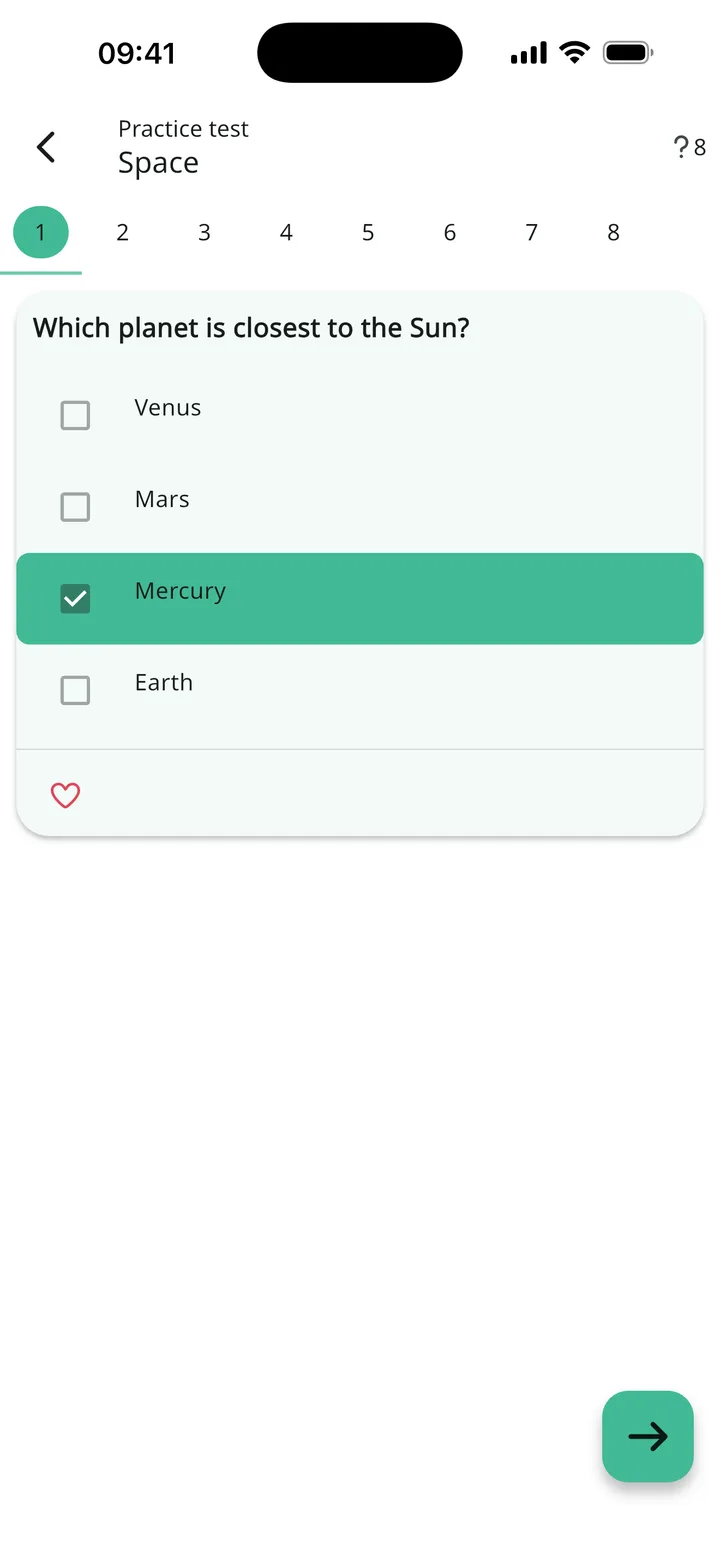
Practice with instant feedback
A practice test checks each answer right away
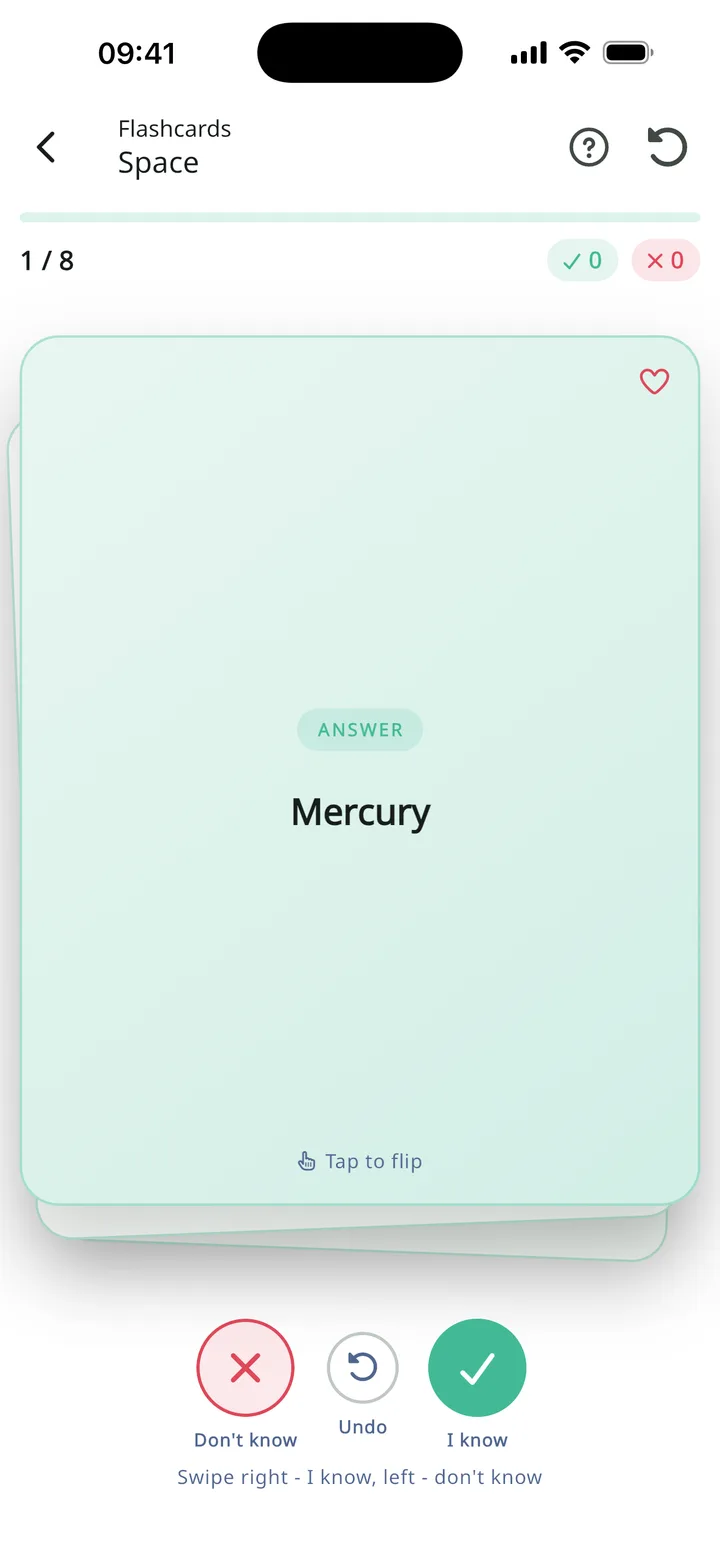
Flashcards to memorize
Swipe to mark "I know" or "Don't know"
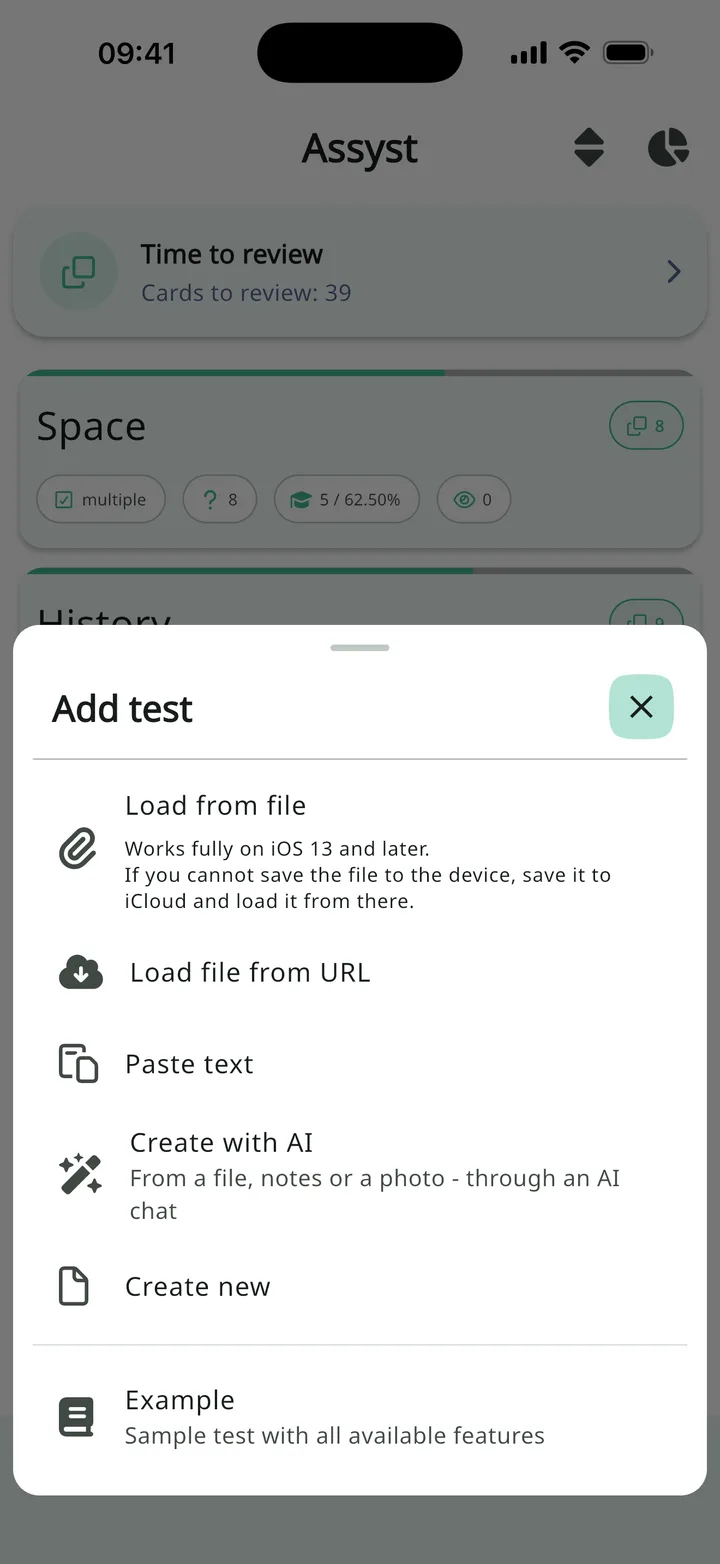
Add your own test
From a file, a link, plain text or an AI chat
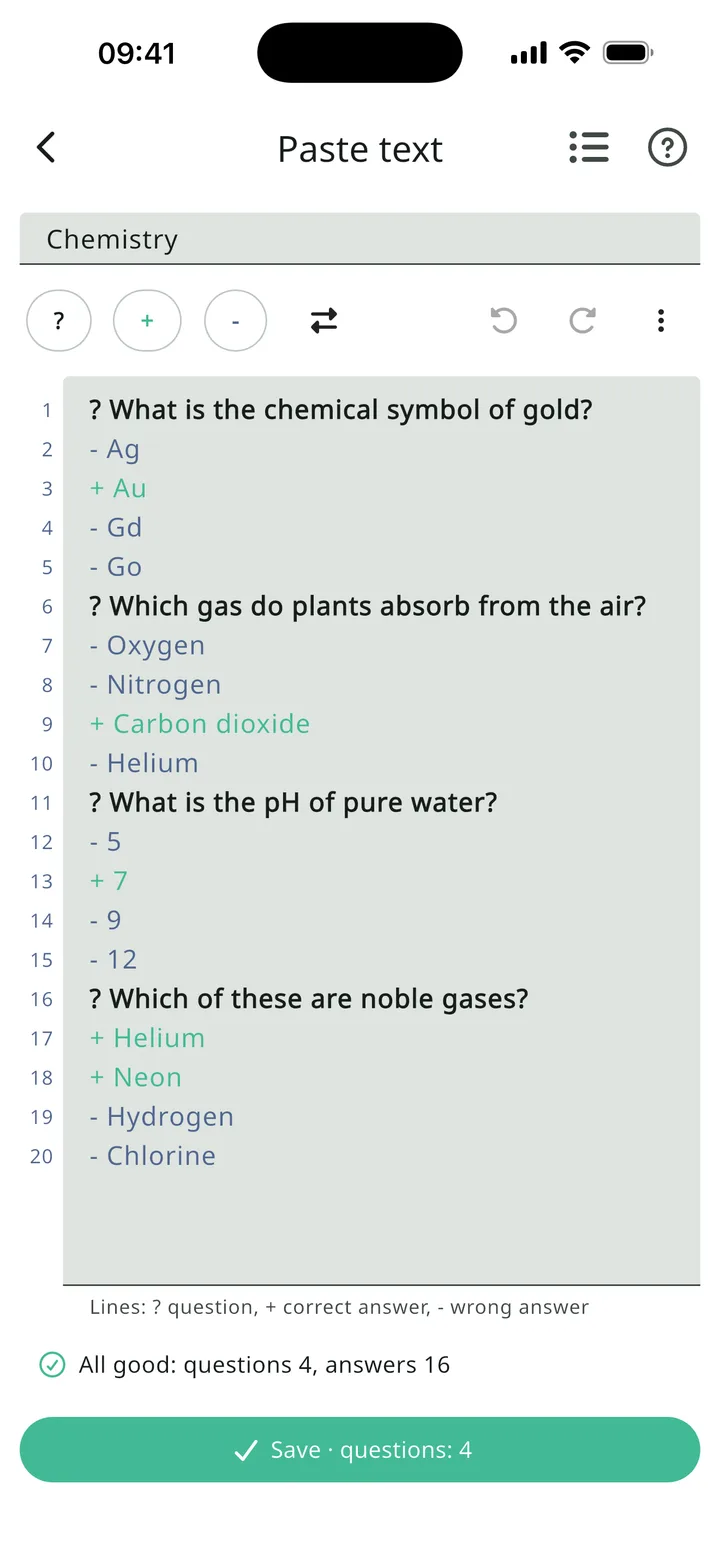
Type a test as plain text
Line highlighting and checks as you type
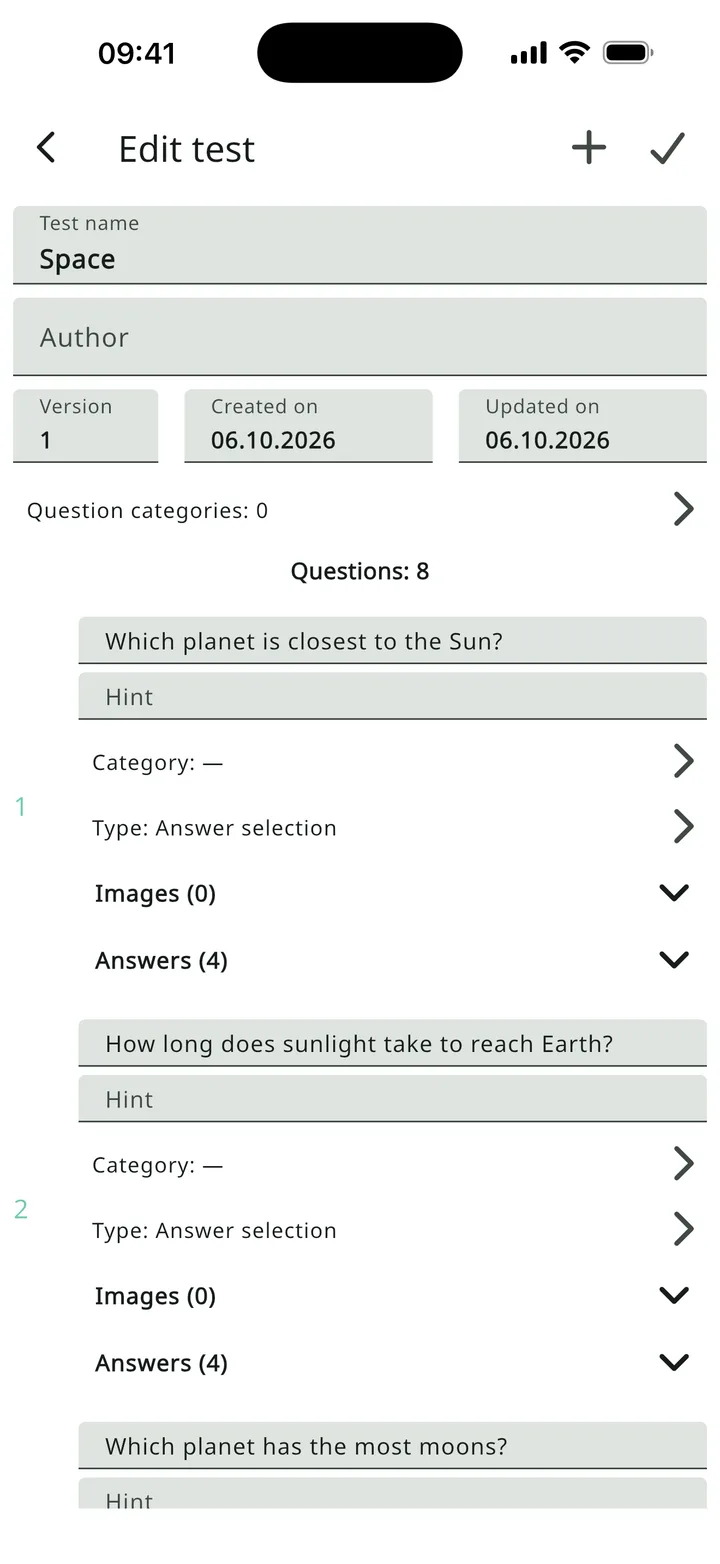
Create and edit tests
Question types, images, hints, categories
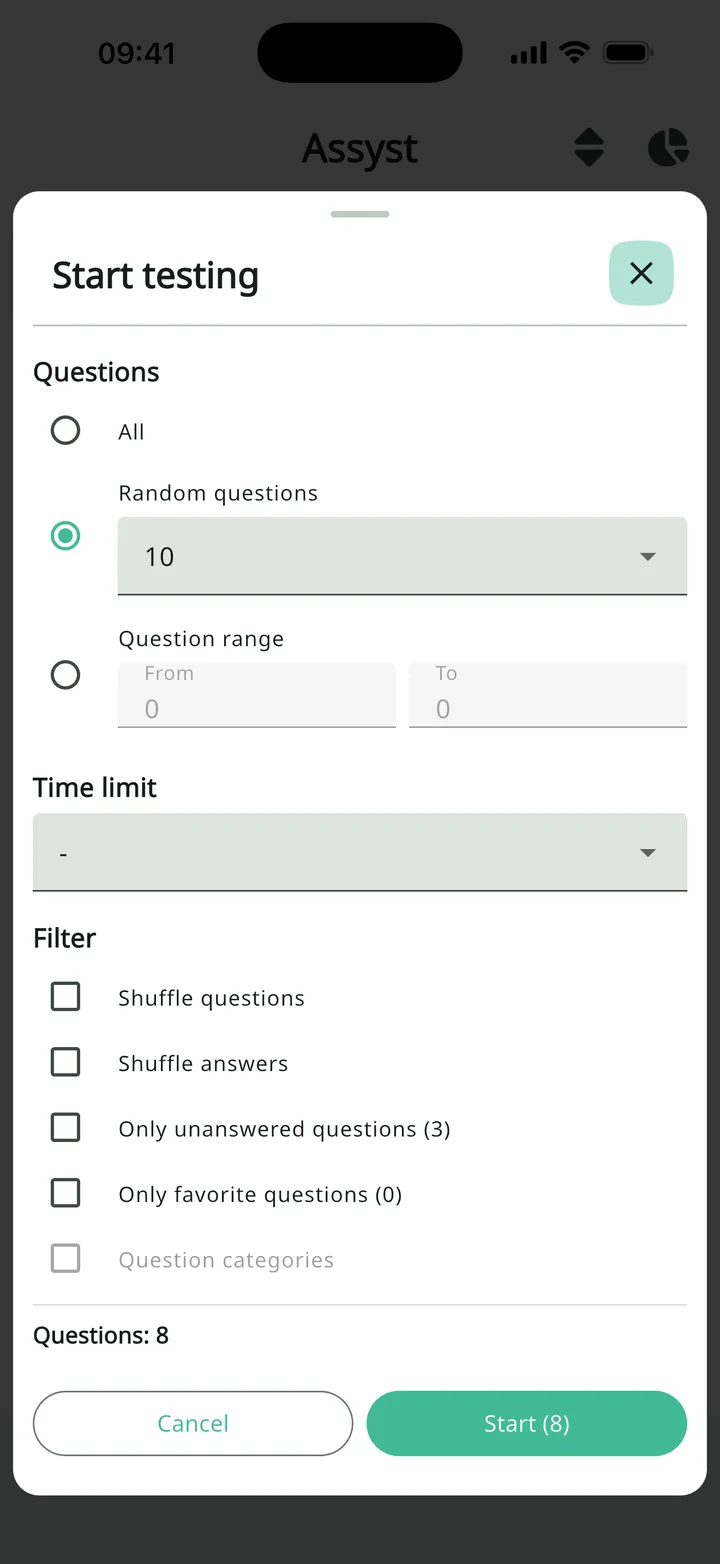
Choose exactly what to study
Filters show how many questions match
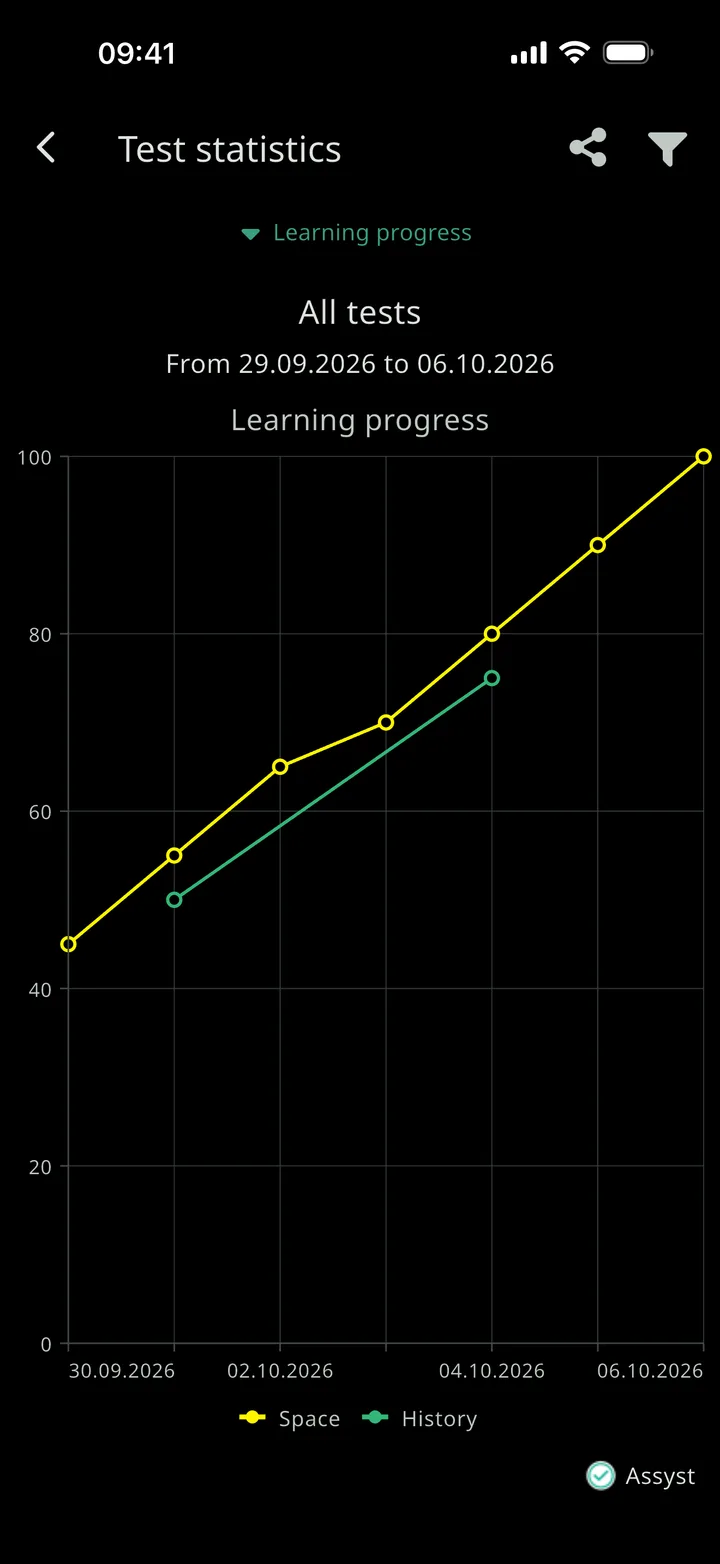
See your progress
Statistics for all tests and for each one
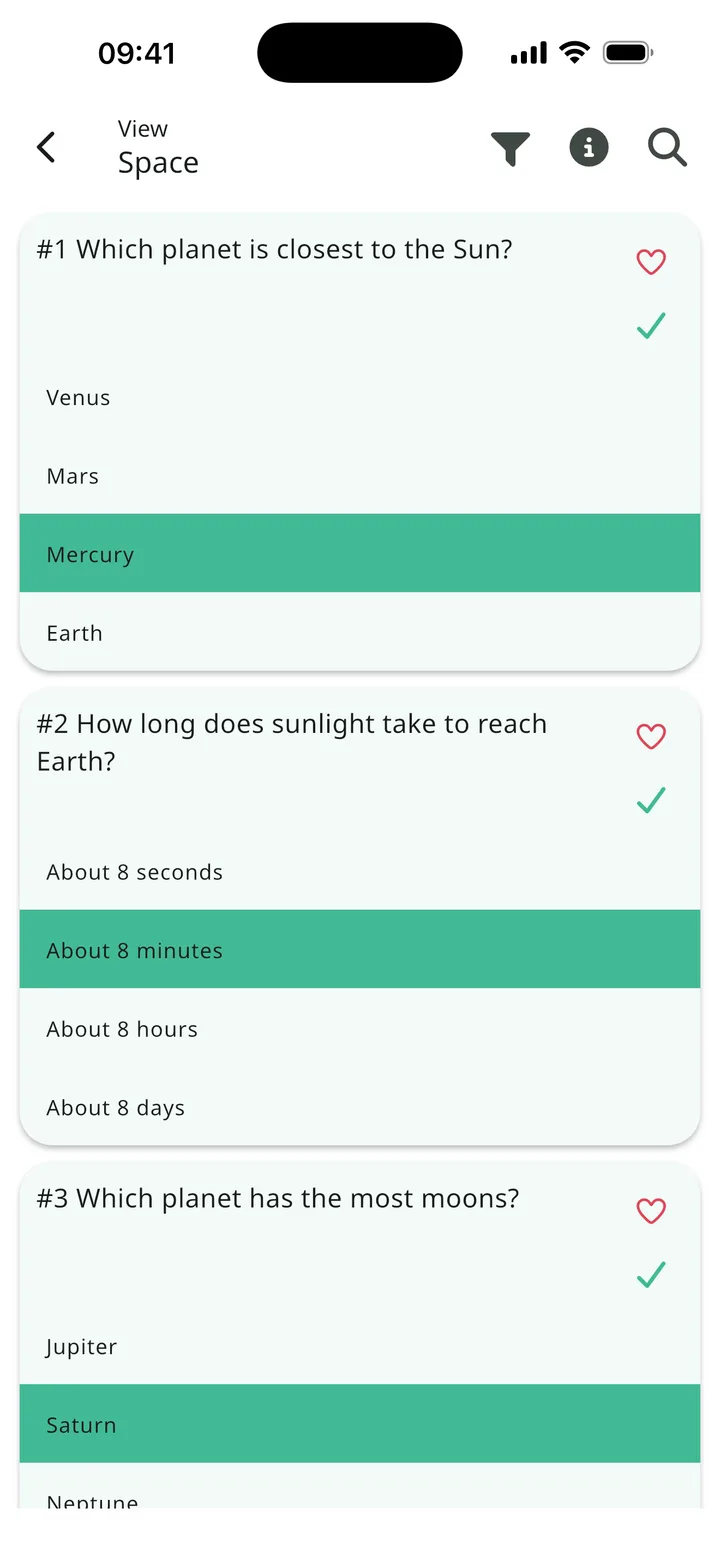
Review the answers
Browse the questions and mark favorites
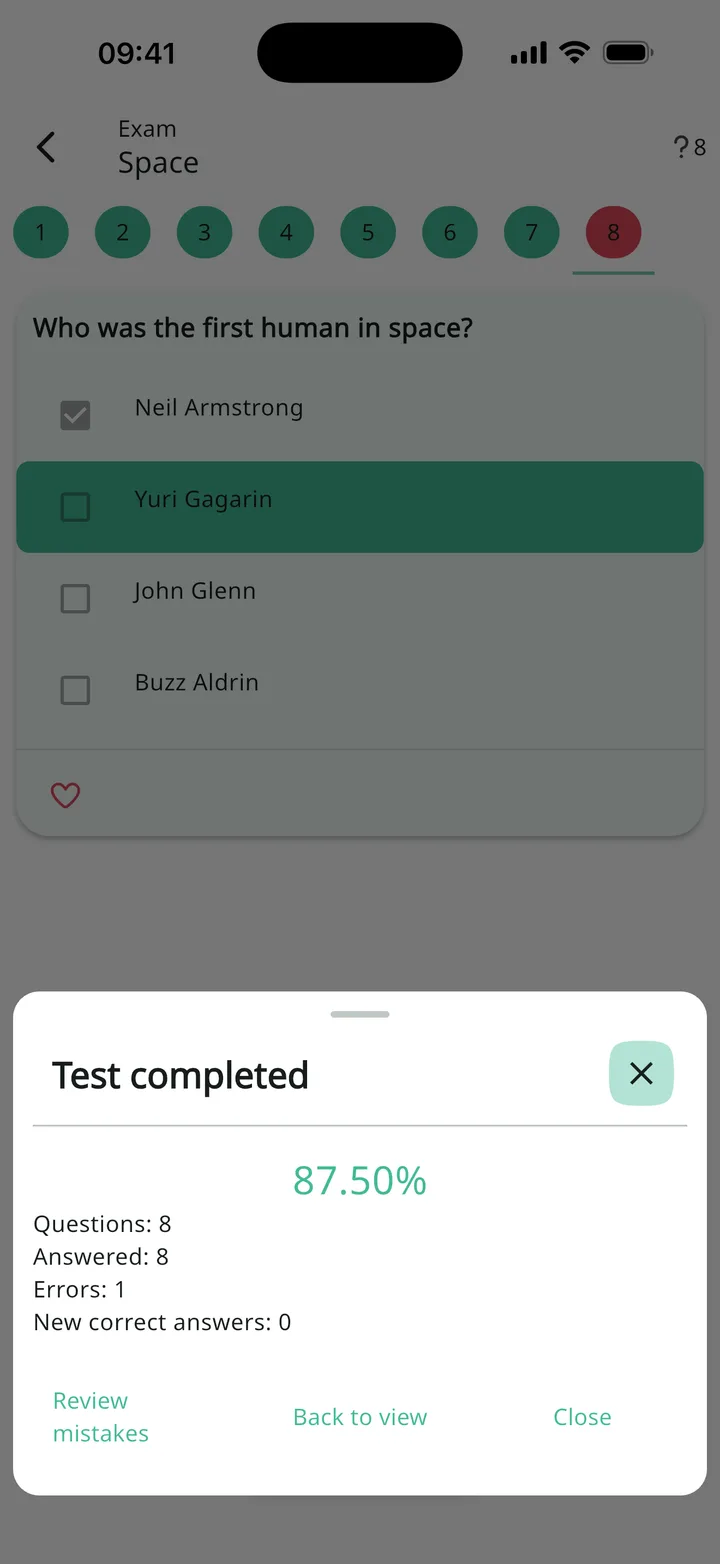
Exam: score at the end
Percent correct, then review your mistakes
What else Assyst can do
Question selection
All, random, a range, only unanswered, favorites or by category. Each filter shows how many questions match it.
Shuffle and time limit
Shuffle questions and answers, set a time limit or start one session on several tests at once.
Statistics and charts
The number of mistakes and new correct answers after each session, charts of learning progress and of attempts per day and by test.
Review mistakes
Retake only the questions you didn't answer correctly. Available in PRO.
Six question types
One or more correct answers, answer ordering, typing the answer as text or a number, filling in the blanks by typing or choosing.
Images, hints, categories
Several images per question and one per answer, hints, question categories, test author and version.
Browsing and favorites
A test with all answers or only the correct ones, search, filters and favorite questions.
Export and sharing
Save a test as QST, QSZ or QSZE or pack it into a ZIP archive and send it via a messenger or email.
Make it yours
Light, dark or system theme, font size and the size of the "Answer / Next" button, automatic move to the next question, the screen stays on during a session.
Who it's for
Assyst opens tests from the Assist desktop program in the QST and QSZ formats, which universities and colleges often use to hand out tests.
School students and applicants
Preparing for final school exams, university entrance exams and olympiads.
University and college students
Midterms and finals, tests on lectures and textbooks.
Teachers and tutors
A test maker for class tests, quizzes and trivia: write a test and send it to your students as a file.
Companies and HR
Employee training, testing and certification, candidate assessment, occupational health and safety exams.
Doctors, lawyers, accountants
Preparing for accreditation, certification and licensing exams.
Driving schools and learner drivers
Your own tests for the driving theory exam.
Language learners
Words and terms on flashcards.
User reviews
“fantastic 😍”
“very useful for students 👍”
“This Programm help to Students to be full ready for the exam. Thanks for Persons who creature such programms”
Read all reviews on Google Play and the App Store.

Assyst in the app stores
Assyst has been in development since 2018, is translated into dozens of languages and runs on Android and iOS.
4.7
average rating
1M+
installs
Prices
The core features are free. Purchases are one-time: you pay once, with no subscription or renewals.
Prices are in US dollars. In the store the price depends on the country: it shows the exact amount in your currency before you confirm the purchase. Payment details are on the Payment page.
no purchases
Tests from files, plain text and an AI chat
Practice test, exam and flashcards
Statistics and charts
Editor with the free version limits
With ads
one-time purchase
No ads - forever
Applies right after the purchase
Everything in the free version
one-time purchase
Disable ads permanently
No limits on test creation
Review mistakes
Adding multiple files
Everything in the free version
Questions and answers
Does the app come with ready-made tests?
No, Assyst works with your tests. Add a QST, QSZ or QSZE file, paste a test as text, build it in the editor or make it from your notes through an AI chat.
How do I open a QST, QSZ or QSZE file?
With Assyst: tap "Add test" and choose "Load from file", or open the file straight from a messenger or email. More on the File formats page.
My test is in Word, a PDF or a photo - how do I add it?
Choose "Create with AI": the app gives you a ready prompt. Send it to an AI chat with the file and paste the answer into the text editor. The app offers the same prompt if a file does not open.
How do I make a test myself?
As text in "Paste text": a question starts with ?, a correct answer with +, a wrong one with -. Or in the editor through "Create new", with images, hints and six question types.
Do I need internet or an account?
No. Tests and results are stored on your device; taking tests, editing and statistics all work offline. You only need internet to load a file by a link or to send your material to an AI chat.
How do I move my tests to another phone?
Export them as QSZE files, which keep images, categories and question types, and open the files on the new phone. Session statistics stay on the old device.
Is there a desktop version?
No, Assyst runs on Android and iOS phones and tablets. Tests from the Assist desktop program in the QST and QSZ formats open in the app.
What languages is the app in?
The interface is translated into dozens of languages, including English, Russian, Kazakh, Uzbek and Tajik, and the language can be changed in the settings. The tests themselves can be in any language.
What does PRO give, and how is it different from "No ads"?
"No ads" removes ads for good. PRO removes ads too, and also lifts the editor limits and unlocks "Review mistakes" and adding multiple files.
Is it a one-time purchase or a subscription?
One-time: you pay once, with no renewals or recurring charges.
How do I restore a purchase on a new phone?
Sign in to the same Google or Apple account you bought with and tap "Restore purchases" in the app. A purchase does not carry over between Android and iOS: each platform needs its own.
How do I get a refund?
Refunds are handled by the store under its own rules. The links to the Google Play and Apple refund forms are on the Payment page.
Download Assyst
Free on the App Store, Google Play and AppGallery.
Scan the code with your phone camera to open the Assyst page in the store.